Door-to-Door Canvassing Software in 2026 — And the One Data Rule That Saves Every Walk
Compared: door-to-door canvassing software, list-prep workflows, and the geocoding confidence score that kills bad addresses before your walkers leave the driveway.
A field director in Phoenix hands her walk captains a list of 12,400 addresses pulled from the state voter file. By the end of the weekend, her 48 volunteers have knocked on 8,800 doors. Contact rate: 71%. The rest — nearly 3,600 attempts — hit vacant lots, demolished homes, PO boxes, and buildings that were never residential to begin with. Over a 12-week cycle, that is the equivalent of paying 4 full-time walkers to knock on doors that do not exist.
Canvassing software sold her a polished app, routing algorithms, and a slick dashboard. What she actually needed was a clean list.
This guide covers what door-to-door canvassing software should do in 2026, the one data rule that separates a productive walk from a wasted one, and the stack — Walk Lists door-to-door canvassing app for the walk itself, csv2geo batch address geocoder for the data that feeds it — that campaign teams, real estate farmers, and home-services sales ops use to keep every knock worth making.
What Door-to-Door Canvassing Software Does
Canvassing software is the operating system for a field program. It covers three jobs: plan the walk, run the walk, and learn from the walk. Plan the walk means cutting turfs, balancing volunteer load, and assigning walk sheets. Run the walk means turn-by-turn navigation, script delivery, on-doorstep response capture, and offline mode for dead zones. Learn from the walk means dashboards, contact-rate reports, and clean exports back into a CRM or voter file.
The category splits in two. Political and advocacy canvassing — voter registration, GOTV, persuasion, petition drives — tends to run on political canvassing software like Walk Lists, MiniVAN, NGP, and VoteBuilder. Commercial canvassing — home services sales, real estate farming, pest control, solar, roofing, ISPs — runs on tools like SalesRabbit, Spotio, and Walk Lists as well. The underlying mechanics are the same. A volunteer or rep walks up to a door, has a conversation, captures a response, moves on.
The List Is the Bottleneck — Not the App
Most comparisons of door-to-door canvassing software stop at the app layer. They score ten tools on features that are more or less interchangeable and pick a winner. That misses the real ROI lever: the list you upload before the walk starts.
The numbers from field operations across the US are consistent. 5 to 15 percent of a raw list — pulled from a voter file, a county assessor export, or a CRM — contains addresses that do not geocode to a real residence. Some are demolished homes still on an old voter registration. Some are commercial buildings mis-entered as residential. Some are transposed house numbers. Some are typed as city+zip with no street at all. Every one of those rows, once uploaded to your canvassing app, becomes a walker standing on a sidewalk looking confused.
At 60 doors per walker per day, a 10 percent bad-address rate is 6 wasted knocks per shift per walker. On a 200-walker field program, that is 1,200 wasted attempts every day. Over a 12-week cycle it is 100,800 walker-minutes gone — the cost of 4 full-time staff working the entire cycle and producing nothing. Campaign managers do not see this line item. Field directors feel it and cannot name it.
Fix the list and the walk gets cheaper, the contact rate goes up, and the model that targeting teams build on top of the response data gets sharper.
Feature 1 — The Geocoding Confidence Score Rule
Every geocoder, when it converts an address into latitude and longitude, returns a confidence score between 0 and 1. Most canvassing teams never look at it. That is the single largest source of wasted walks in the industry.
A confidence score of 1.00 means the geocoder matched the address at the rooftop level — it found the exact parcel. A score of 0.97 to 0.99 means a high-confidence match to the correct street segment and house number. Below 0.90, the match is street-level interpolation — the geocoder guessed the house position on a known street. Below 0.80, the match dropped to postcode or city level — the specific address may not exist at all. Batch address geocoding with csv2geo returns a confidence score for every row, normalized across every data source we use, so you can set a hard threshold and enforce it programmatically.
The rule for canvassing is simple: only canvass addresses that score 0.97 or higher. Everything below goes into a separate review bucket, not the walk list.
| Confidence score | What the match actually is | Canvass it? |
|---|---|---|
| 1.00 | Exact rooftop match on a verified parcel | Yes |
| 0.97–0.99 | High-confidence match to correct street + house number | Yes |
| 0.90–0.96 | Street-level interpolation — approximate block position | Only if walker verifies on-site |
| 0.80–0.89 | Partial match (street only, house number unconfirmed) | No — review |
| Below 0.80 | Postcode or city-level fallback | No — the address may not exist |
Field directors who apply this rule consistently see contact rates climb from the mid-70s into the low 90s within one cycle. The walker experience changes too — volunteers stop arriving at vacant lots and losing momentum, and turn-in rates for response sheets go up because the day feels productive.
Feature 2 — Jurisdictional Boundary Filtering for Canvassing
A clean list is necessary but not sufficient. Most field programs are targeting a specific geography — a congressional district, a state house seat, a city council ward, a school board zone, a county for a ballot initiative. The voter file you exported almost certainly spills across the boundary line in ways you cannot see from a spreadsheet. Canvassing those spillover rows is wasted time; the contacts cannot vote in your race.
The csv2geo administrative divisions API provides political and administrative boundary data for every address: country, region, county, city, congressional district, state house district, state senate district, school district, census tract, and city boundary. For any address you geocode, the API returns every boundary polygon that contains that point in a single response. That turns a vague "we think this list is in CD-05" into a hard filter.
Jurisdictions you can filter on with our boundaries API
- US congressional districts — all 435 plus non-voting delegates
- State house districts — every state legislature lower chamber
- State senate districts — every state legislature upper chamber
- County boundaries — every US county and county equivalent
- City and municipality boundaries
- School districts — unified, elementary, and secondary
- Census tracts and block groups — for demographic joins
- Custom precinct and ward boundaries when uploaded by the client
The typical political campaign workflow: pull the voter file statewide, run it through csv2geo, attach every boundary, filter to the target jurisdiction with a one-line query. What would have been a five-hour GIS exercise done by a consultant becomes a five-minute script. School-board candidates filter to one school district. County commissioners filter to one county. Ballot initiative campaigns filter to one state or one county group. Real estate farmers filter to one city.
Feature 3 — Census and Demographic Data Enrichment
Once every address in your list is tagged with a census tract and a block group, you can attach the full demographic profile of that area. Census data is the richest free dataset in the country and the one that most canvassing teams leave on the table. Our census data API delivers it as part of the same enrichment call — you do not have to stand up a separate TIGER/Line pipeline or pay a data broker.
Census fields for targeted canvassing
- Median household income by census block group
- Age distribution — share of adults 18–34, 35–54, 55+
- Tenure — share of owner-occupied vs renter-occupied households
- Educational attainment — share with bachelor’s or higher
- Language spoken at home — where to send bilingual walkers or mailers
- Household size and presence of children
- Voting-age population (VAP) and citizen voting-age population (CVAP)
Combine this with your confidence-filtered, jurisdiction-filtered list and the targeting options open up. A solar sales team canvasses only owner-occupied block groups with median income above $75,000. A GOTV program prioritizes block groups with low turnout history and voting-age populations above 2,000. A bilingual campaign routes Spanish-speaking walkers to block groups where Spanish-at-home exceeds 30 percent. None of this requires a data scientist — the fields come back attached to each row in your export.
Feature 4 — Canvassing API Integration for Real-Time List Prep
Batch CSV uploads are fine for a weekend push. Serious field programs need the same enrichment in a continuous loop — every time a new voter registration lands, every time a CRM lead is created, every time a walker captures a new address on the doorstep. That is what the API layer is for.
The csv2geo geocoding API for address enrichment exposes geocoding, confidence scoring, boundary lookup, and census enrichment as REST endpoints. Canvassing platforms including Walk Lists canvassing software integrate directly: when you add an address to a walk list, it is geocoded, scored, matched to every jurisdiction polygon, and enriched with census data before the walker ever sees it. Bad addresses are flagged before they are routed. Out-of-jurisdiction addresses are quietly dropped. The walker experience is identical to a normal walk — they just never see the wasted rows.
What the canvassing enrichment API returns for a single address
- Latitude and longitude (rooftop precision where available)
- Confidence score 0.00–1.00
- Normalized address string (USPS-formatted)
- Every administrative boundary containing the point — congressional, state house/senate, county, city, school district, census tract
- Census demographics for the block group
- Parcel and building metadata where licensed (owner-occupied flag, year built, square footage)
Integration effort is one afternoon. Python, Node, PHP, Go, and cURL examples are published on the geocoding API documentation. Most canvassing platforms that support external list enrichment — Walk Lists included — already have a csv2geo connector or can be wired up with a webhook.
The 5-Step Canvassing List Prep Workflow
- Export the raw list from your CRM, voter file provider, VAN, NGP, or spreadsheet.
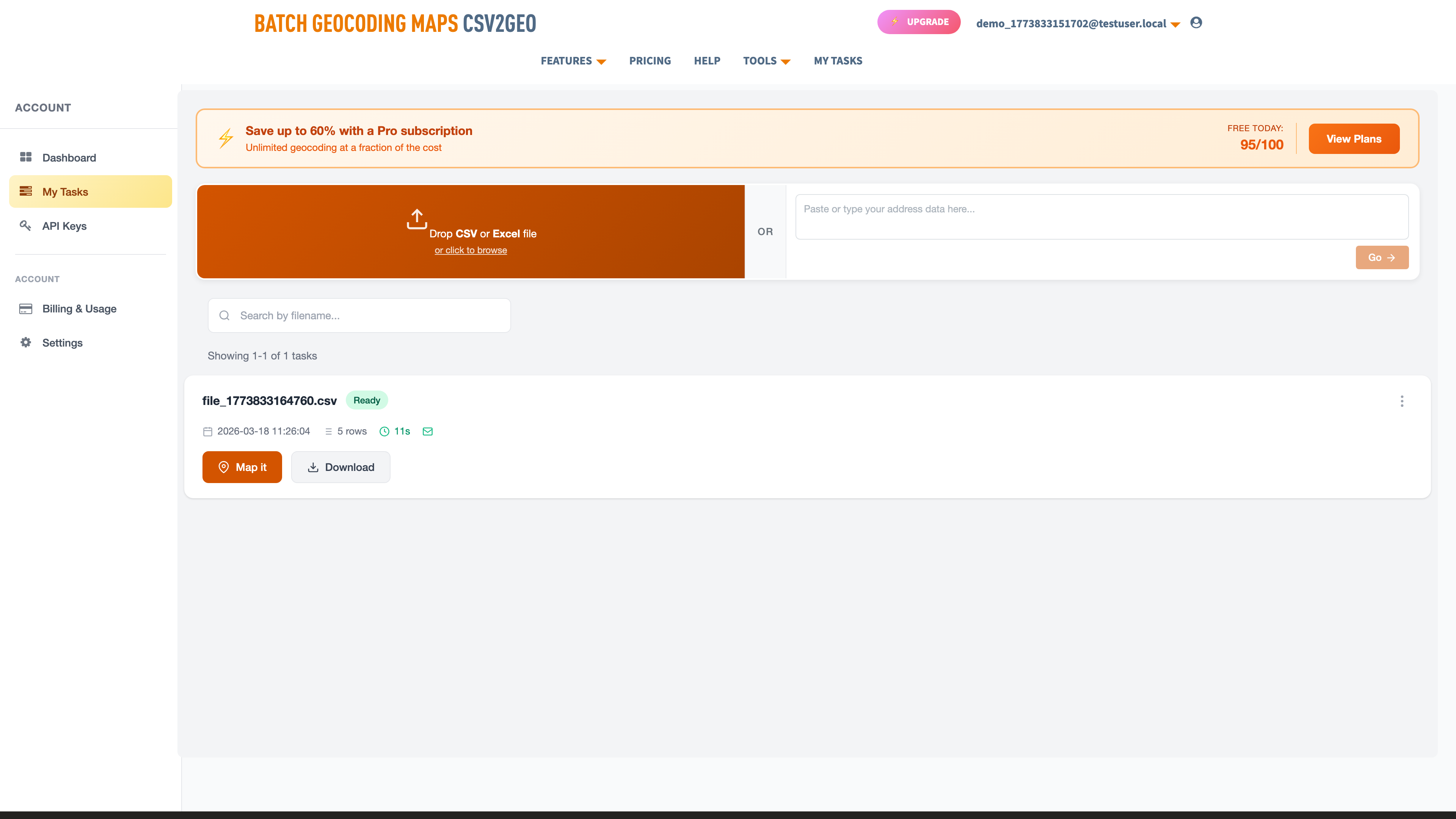
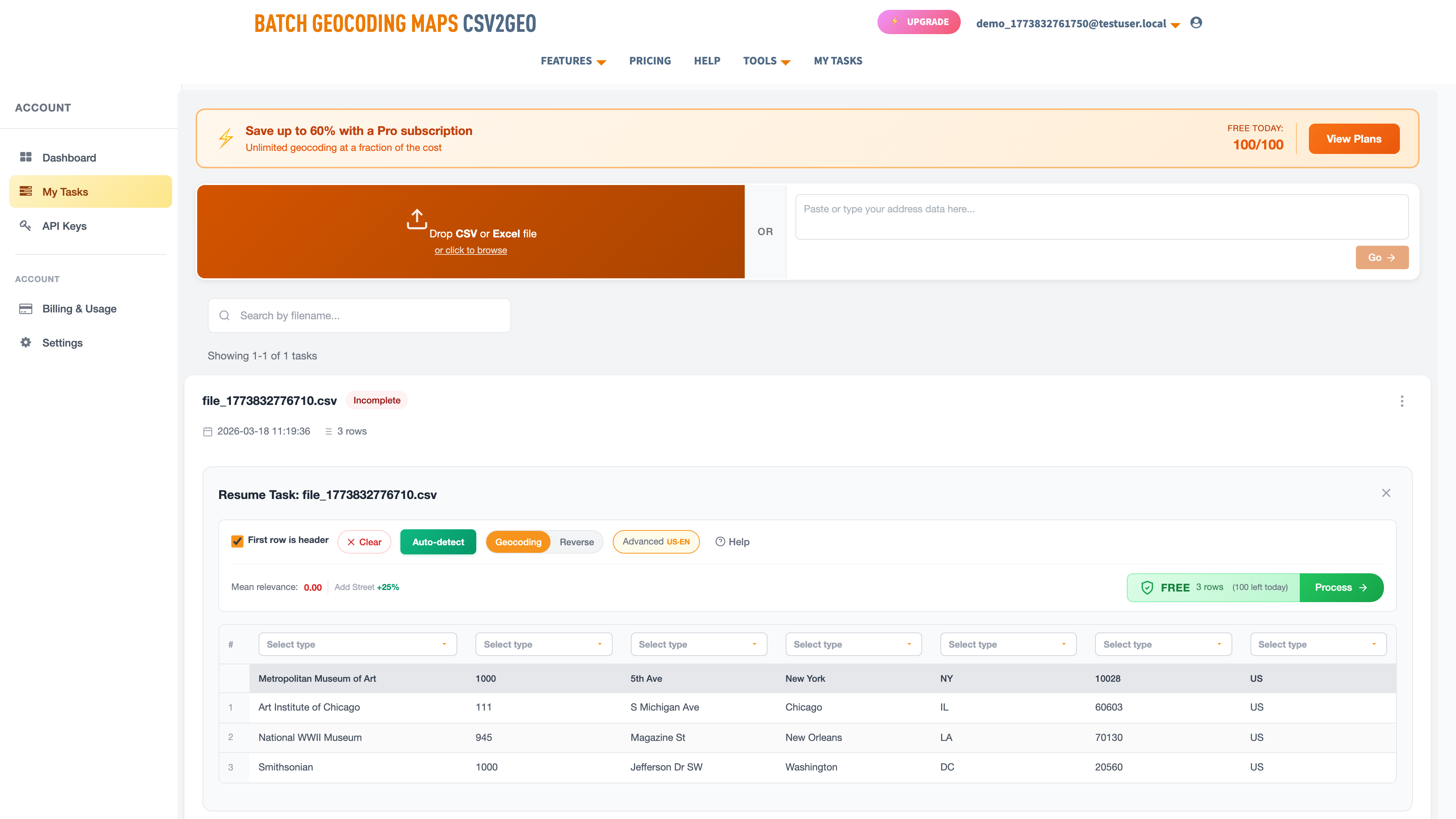
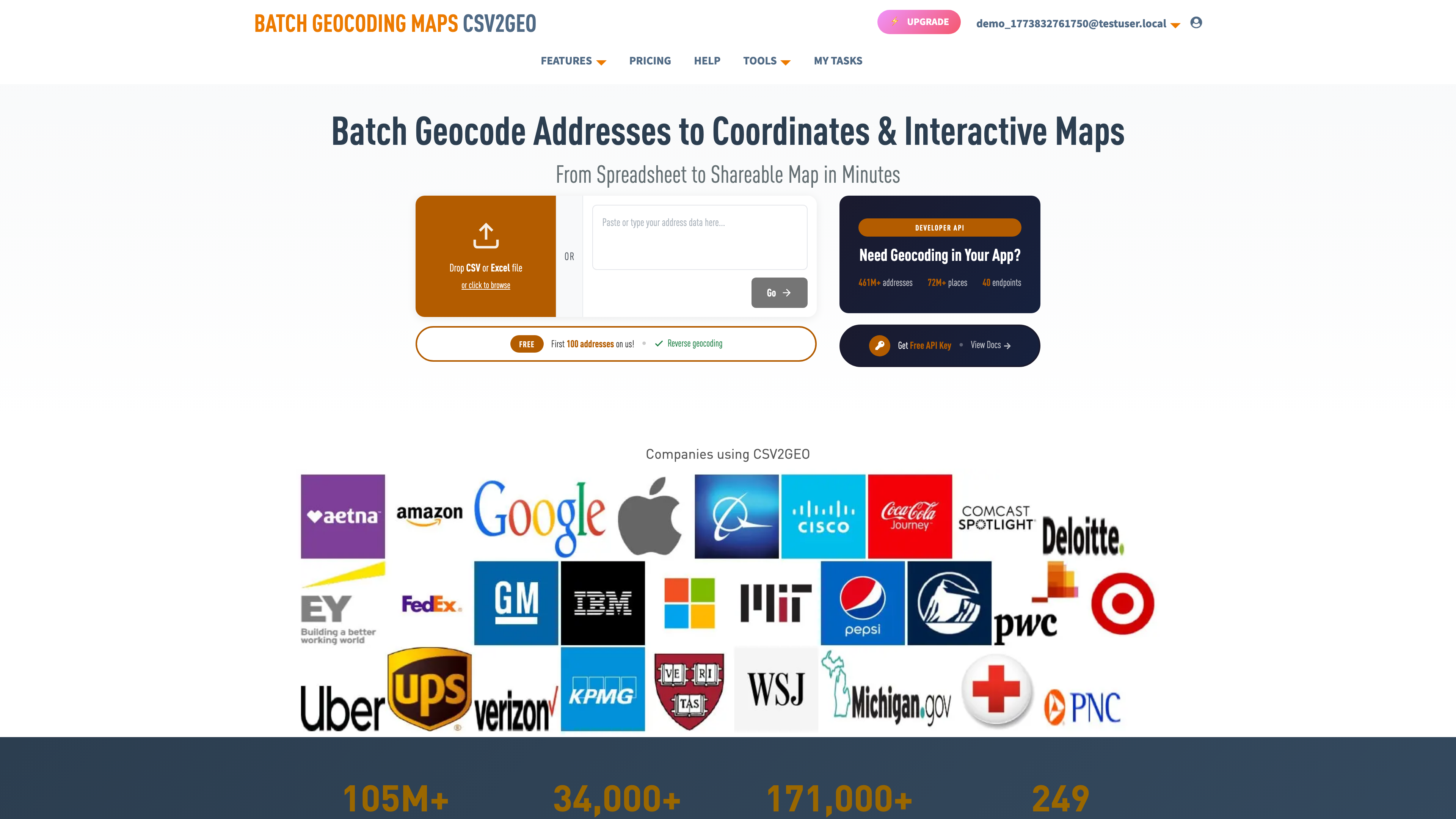
- Batch geocode on csv2geo.com/batchgeocoding — free up to 100 rows per day, paid tiers for larger lists. The output CSV contains latitude, longitude, normalized address, and a confidence score for every row.
- Attach boundaries and census fields — one toggle in the export. Every row comes back tagged with its congressional district, state house/senate, county, city, school district, census tract, and the demographic profile of that block group.
- Filter. Confidence score ≥ 0.97 AND jurisdiction matches your target AND any demographic rules you care about. Drop everything else into a review bucket.
- Upload the clean list to Walk Lists canvassing software or your canvassing app of choice. Cut turfs, assign walkers, deploy.
A field director running this pipeline for the first time typically finds 8–12 percent of their raw list gets dropped at the confidence filter and another 3–8 percent gets dropped at the jurisdiction filter. That is not a loss — it is 11–20 percent of walker time reclaimed before anyone leaves the office.
What to Look For in Canvassing Software
| Feature | Why it matters | Walk Lists | Typical listicle winners |
|---|---|---|---|
| Turf cutting | Balance walk load across volunteers | Yes | Most |
| Offline mode | Rural areas, apartment dead zones | Yes | Some |
| Script branching | Different scripts per list segment | Yes | Few |
| Response capture | Voter ID, sentiment, follow-up flags | Yes | Most |
| Pre-walk geocoding | Filter bad addresses before the walk | Yes — via csv2geo | None |
| Confidence threshold | Enforce your own data quality bar | Yes — via csv2geo | None |
| Jurisdiction filter | Drop out-of-district addresses automatically | Yes — via csv2geo API | None |
| Census enrichment | Demographic + turnout targeting | Yes — via csv2geo API | None |
| Real-time API enrichment | New addresses cleaned as they arrive | Yes | Few |
| Route optimization | Reshuffle when a walker skips a turf | Yes | Few |
| Data export for modeling | Feed results back into targeting | Yes | Few |
The features above the "pre-walk geocoding" line are table stakes — any serious canvassing app has them. The four lines below it are where the stack differentiates, and they are the lines most vendors skip.
Who Uses This Canvassing Stack
Political field operations
Federal, state, and local campaigns running GOTV, voter registration, or persuasion. Clean lists raise contact rate, which raises response volume, which sharpens the targeting model the next cycle inherits. For a state senate or congressional race, the jurisdiction filter alone can save a month of consulting fees — the voter file comes back pre-attached to every boundary, so you can slice to your district with one query.
Real estate farming and door-to-door sales
Listing agents who walk a neighborhood monthly to build market share. Owner-occupied filtering from parcel and census data avoids knocking on tenant doors when you are pitching a sale. Confidence filtering avoids delivering printed door hangers to houses that are no longer there.
Home services sales canvassing
Solar, roofing, pest control, HVAC, ISPs, security. Customer acquisition cost is high enough that every wasted knock has a measurable dollar impact. Demographic filtering — income, tenure, age of housing stock — concentrates the walk on doors that convert.
Community organizing and ballot initiatives
Petitions, tenant unions, issue campaigns. Volunteer time is the entire budget. Confidence filtering and jurisdiction filtering together mean every volunteer hour is spent on a real household inside the campaign’s actual constituency.
Pricing: Canvassing Software + Geocoding
Canvassing software itself runs $40–$200 per user per month across the market. Walk Lists door-to-door canvassing software sits mid-market with a free tier for small teams and paid tiers that scale with volunteer count. The geocoding and enrichment layer is the smaller line item — csv2geo is $0.10 per 1,000 addresses for geocoding, with additional per-field pricing for boundaries and census data. For a 50,000-address canvass, the geocoding bill is $5. On Google’s Maps Geocoding API, the same workload costs $250 — see our Google Maps Geocoding API alternative for the migration.
Full numbers in our geocoding API pricing comparison. For larger programs running continuous integration through the API, enterprise pricing kicks in at around 1M addresses per month.
Frequently Asked Questions
Do I need to geocode my canvassing list before the walk?
Yes, if you want to know which addresses are real before your walkers leave. Geocoding is the only way to validate an address, score its precision, and tag it with the jurisdictions it belongs to. Canvassing software that skips this step is guessing.
What geocoding confidence score should I filter my canvass list to?
0.97 or higher for canvassing. That threshold keeps rooftop and high-confidence street matches and drops everything that is interpolation or partial. If your program has to canvass rural or new-construction areas where rooftop matches are rarer, drop to 0.90 and have walkers verify on-site.
Can I use csv2geo with Walk Lists canvassing software?
Yes. The simplest workflow is to run your list through csv2geo bulk address geocoding, filter on the confidence score and jurisdiction columns, then upload the clean CSV to Walk Lists canvassing app as a new list. Integration-level pairing via the csv2geo geocoding API is also supported for real-time enrichment as new addresses arrive.
What jurisdictions can I filter a canvass list on?
US congressional districts, state house and state senate districts, counties, cities, school districts, and census tracts. Custom precinct and ward boundaries can be uploaded for a client-specific filter. International admin boundaries (country, region, county equivalents) are available in 240+ countries via the administrative divisions API.
How much does it cost to geocode 10,000 canvassing addresses?
$1.00 at the csv2geo rate of $0.10 per 1,000 addresses. Adding boundary and census enrichment runs another $0.10–$0.30 per 1,000 depending on field selection. On Google Maps Geocoding API the same 10,000 addresses cost $50.
What is the difference between canvassing software and a CRM?
A CRM stores the contact and the history. Canvassing software is the field tool that a walker uses on the doorstep — routing, script, response capture, offline mode. They connect through imports, exports, and APIs. Most campaigns run both.
Does canvassing software work offline?
The good ones do. Walk Lists supports full offline walking — list, map, script, and response capture all work without cell coverage. The app syncs when the walker gets back to signal. This matters in rural turf, apartment interiors, and anywhere data coverage is spotty.
Next Steps — Set Up Your Canvassing Stack
Set up the canvassing stack in under an hour: start a free trial of Walk Lists door-to-door canvassing software, run your first list through csv2geo bulk geocoding, filter to confidence ≥ 0.97, and upload. Your next walk will be your cleanest.
For the full list of canvassing and geocoding tool comparisons, see our best batch geocoding tools guide and the reverse geocoding tools overview.
Use our batch geocoding tool to convert thousands of addresses to coordinates in minutes. Start with 100 free addresses.
Try Batch Geocoding Free →