How to Geocode Addresses from Brazil
How to geocode Brazilian addresses. CEP postal codes, state codes, street types, and accent handling. 90M+ rooftop addresses. 100 free/day.
Brazil is the largest country in South America and the fifth-largest in the world — with 213 million people spread across 26 states and a Federal District. Geocoding Brazilian addresses requires understanding a postal system, street naming conventions, and administrative divisions that differ significantly from US, UK, or European standards. Portuguese-language addresses, accent characters, and the CEP postal code system all present unique challenges for geocoding tools that were designed primarily for English-speaking countries.
CSV2GEO has 90 million rooftop-level Brazilian addresses — the second-largest country database after the United States. This guide covers everything you need to know to geocode Brazilian addresses accurately: the address structure, CEP postal codes, state abbreviations, common formatting issues, and step-by-step instructions for batch processing.
How Brazilian Addresses Are Structured
Brazilian addresses follow a specific format that differs from most English-speaking countries. The street type comes before the street name (Rua das Flores, not Flores Street), and the house number follows the street name separated by a comma. The bairro (neighborhood) is an essential component that narrows the location within a city.
| Component | Portuguese Term | Example | Notes |
|---|---|---|---|
| Street Type + Name | Logradouro | Rua das Flores, Avenida Paulista | Type precedes the name. Required for geocoding. |
| House Number | Número | 1578, S/N (sem número) | Follows the street name with a comma. S/N means no number. |
| Complement | Complemento | Apto 42, Bloco B, Sala 3 | Optional. Apartment, suite, or building block. |
| Neighborhood | Bairro | Bela Vista, Copacabana | Important for accuracy. Many streets repeat across bairros. |
| City | Cidade / Município | São Paulo, Rio de Janeiro | Brazil has 5,570 municipalities. |
| State | Estado / UF | SP, RJ, MG | 27 states including the Federal District (DF). |
| Postal Code | CEP | 01310-100 | 8 digits, format XXXXX-XXX. First digit indicates region. |
| Country | País | Brasil, BR | Use "BR" for geocoding (ISO 3166-1 alpha-2). |
Example — MASP Museum, São Paulo:
Avenida Paulista, 1578, Bela Vista, São Paulo, SP, 01310-100, BRKey difference from US addresses: The bairro (neighborhood) is a critical component. In large cities like São Paulo and Rio de Janeiro, the same street name can appear in multiple bairros. Omitting it forces the geocoder to guess, often returning a less precise match. Always include the bairro when available.
All 27 Brazilian States and Abbreviations
| State | UF | Capital | State | UF | Capital |
|---|---|---|---|---|---|
| Acre | AC | Rio Branco | Paraíba | PB | João Pessoa |
| Alagoas | AL | Maceió | Paraná | PR | Curitiba |
| Amapá | AP | Macapá | Pernambuco | PE | Recife |
| Amazonas | AM | Manaus | Piauí | PI | Teresina |
| Bahia | BA | Salvador | Rio de Janeiro | RJ | Rio de Janeiro |
| Ceará | CE | Fortaleza | Rio Grande do Norte | RN | Natal |
| Distrito Federal | DF | Brasília | Rio Grande do Sul | RS | Porto Alegre |
| Espírito Santo | ES | Vitória | Rondônia | RO | Porto Velho |
| Goiás | GO | Goiânia | Roraima | RR | Boa Vista |
| Maranhão | MA | São Luís | Santa Catarina | SC | Florianópolis |
| Mato Grosso | MT | Cuiabá | São Paulo | SP | São Paulo |
| Mato Grosso do Sul | MS | Campo Grande | Sergipe | SE | Aracaju |
| Minas Gerais | MG | Belo Horizonte | Tocantins | TO | Palmas |
| Pará | PA | Belém | |||
The CEP Postal Code System
Brazil’s postal code is called the CEP (Código de Endereçamento Postal). It consists of 8 digits in the format XXXXX-XXX. The first digit identifies the macro-region, and subsequent digits narrow down to the state, city, neighborhood, and even individual streets in dense urban areas.
| First Digit | Region | States Covered |
|---|---|---|
| 0 | Greater São Paulo | SP (capital region) |
| 1 | São Paulo interior | SP (interior and coast) |
| 2 | Rio de Janeiro / Espírito Santo | RJ, ES |
| 3 | Minas Gerais | MG |
| 4 | Bahia / Sergipe | BA, SE |
| 5 | Northeast (east) | PE, AL, PB, RN |
| 6 | North / Northeast (west) | CE, PI, MA, PA, AP, AM, AC, RR |
| 7 | Central-West / Tocantins | DF, GO, TO, MT, MS, RO |
| 8 | Paraná / Santa Catarina | PR, SC |
| 9 | Rio Grande do Sul | RS |
Hyphen is optional. CEPs can be written as "01310-100" or "01310100." CSV2GEO accepts both formats. However, your data should be consistent — mixing formats in the same column is fine but keeping one convention makes your data cleaner.
Leading zeros matter. São Paulo CEPs start with 0 (e.g., 01310-100). If your CSV is opened in Excel, the leading zero gets stripped, turning "01310100" into "1310100." Format the CEP column as "Text" in Excel, or use .xlsx format to preserve leading zeros.
Understanding Brazilian Bairros
The bairro (neighborhood) is uniquely important in Brazilian geocoding. Unlike in the US where a city name is usually sufficient to narrow down a street, Brazilian cities are divided into dozens or hundreds of bairros, and the same street name can exist in multiple bairros within a single city. São Paulo has over 300 bairros; Rio de Janeiro has more than 160.
When you provide the bairro, the geocoder immediately narrows the search from the entire city to a specific neighborhood, often just a few square kilometers. This transforms a vague match into a precise one. If your data has a bairro column, always map it — it’s the equivalent of providing a postal code in terms of accuracy improvement.
Common bairro formatting issues include abbreviations (Jd. for Jardim, Vl. for Vila, Pq. for Parque) and outdated names. Some databases use historical bairro names that were changed during administrative redistricting. CSV2GEO handles common abbreviations, but if your data consistently uses non-standard shortened forms, consider expanding them before uploading.
Common Brazilian Street Types
| Street Type | Abbreviation | English Equivalent | Example |
|---|---|---|---|
| Rua | R. | Street | Rua Augusta |
| Avenida | Av. | Avenue | Avenida Paulista |
| Alameda | Al. | Tree-lined street | Alameda Santos |
| Travessa | Tv. | Lane / Alley | Travessa do Comércio |
| Praça | Pc. | Square / Plaza | Praça da Sé |
| Largo | Lg. | Small square | Largo do Machado |
| Rodovia | Rod. | Highway | Rodovia Presidente Dutra |
CSV2GEO handles both abbreviated and full street types — "Av." and "Avenida" both match. Portuguese accent characters (ã, ç, á, ô) are also handled automatically, so "São Paulo" and "Sao Paulo" both resolve correctly.
How to Batch Geocode Brazilian Addresses
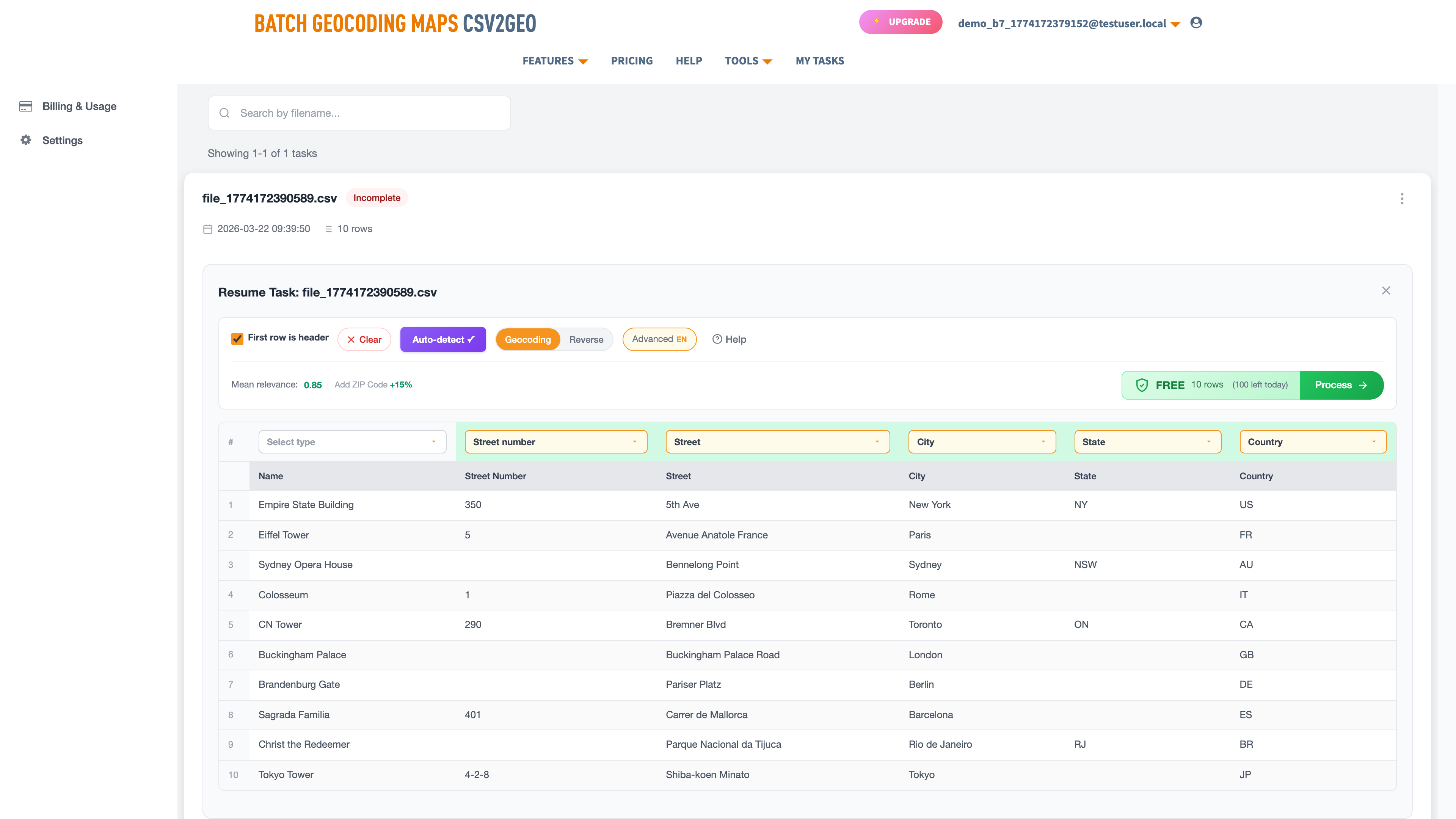
- Prepare your CSV or Excel file with columns for street (including type and number), bairro, city, state, CEP, and country. Set the country column to "BR" for all rows.
- Upload the file to csv2geo.com/batchgeocoding.
- The AI auto-detects your columns. Verify that "bairro" maps to City (neighborhood), "estado" or "UF" maps to State, and "CEP" maps to Zip.
- Click "Process Data" to preview the first 10 rows. Check relevance scores — urban Brazilian addresses should return 0.85–1.0.
- Click "Get All Data" to process the full file. 100 rows per day free, no credit card required.
Example: Brazilian Landmarks Geocoded
| Address | City | State | CEP | Lat | Long | Relevance |
|---|---|---|---|---|---|---|
| Av. Paulista, 1578 | São Paulo | SP | 01310-100 | -23.5614 | -46.6558 | 1.0 |
| Av. Atlântica, 1702 | Rio de Janeiro | RJ | 22021-001 | -22.9671 | -43.1790 | 1.0 |
| Praça da Sé, S/N | São Paulo | SP | 01001-000 | -23.5505 | -46.6340 | 0.95 |
| R. Quinze de Novembro, 228 | São Paulo | SP | 01013-000 | -23.5472 | -46.6348 | 1.0 |
| Av. Beira Mar, 262 | Fortaleza | CE | 60060-070 | -3.7241 | -38.5156 | 1.0 |
| R. Chile, 35 | Rio de Janeiro | RJ | 20031-170 | -22.9029 | -43.1759 | 1.0 |
| Praça dos Três Poderes | Brasília | DF | 70165-900 | -15.7997 | -47.8614 | 0.90 |
| R. do Bom Jesus, 237 | Recife | PE | 50030-170 | -8.0626 | -34.8712 | 1.0 |
| Av. Sete de Setembro, 2195 | Salvador | BA | 40080-002 | -12.9964 | -38.5119 | 1.0 |
| R. da Cidadania, 2 | Curitiba | PR | 80530-902 | -25.4485 | -49.2710 | 0.95 |
Notice that all coordinates are negative — Brazil lies in the southern hemisphere (negative latitude) and west of the Prime Meridian (negative longitude). If your results show positive values for either, something is wrong with the input data. Also note the high relevance scores for addresses with house numbers versus slightly lower scores for landmark addresses without specific numbers (like Praça dos Três Poderes). Including the house number whenever possible is the simplest way to maximize accuracy.
Common Brazilian Geocoding Issues
Accent characters. Portuguese uses accented characters extensively: ã, á, â, é, ê, í, ó, ô, ú, ç. CSV2GEO normalizes these automatically, so both "São Paulo" and "Sao Paulo" match. However, garbled characters (mojibake) like "São Paulo" indicate an encoding problem — save your file as UTF-8 before uploading.
CEP with or without hyphen. Both "01310-100" and "01310100" are accepted. The leading zero is the critical issue — ensure it is preserved. If working with older databases, some CEPs may be in the old 5-digit format. These still work but produce less precise results.
Portuguese abbreviations. Your data may contain abbreviated street types (R., Av., Al.) or spelled-out versions (Rua, Avenida, Alameda). CSV2GEO handles both. But watch for non-standard abbreviations like "Avn" for Avenida or "Pc" for Praça that some databases use.
S/N (sem número) addresses. Many Brazilian addresses have no house number, written as "S/N." Public buildings, churches, and praças often lack a number. These geocode to the street or praça centroid with slightly lower relevance scores. Remove "S/N" from the house number column before uploading — leave it blank instead.
Preparing Your File for Brazilian Geocoding
Brazilian address data often comes from government registries, banking systems, or e-commerce platforms, each with its own formatting conventions. Before uploading a large file, take a few minutes to standardize the data for best results.
- Separate the house number from the street name. "Av. Paulista, 1578" should have "Av. Paulista" in one column and "1578" in another, or the full string "Av. Paulista, 1578" in the street column.
- Remove "complemento" data (apartment, suite, block) from the street column. Put it in a separate column or remove it entirely — it does not affect geocoding.
- Standardize state codes to 2-letter UF abbreviations. "São Paulo" as a state should be "SP."
- Format CEPs consistently: either all with hyphens (01310-100) or all without (01310100). Both work, but consistency helps with data quality.
- Set the country column to "BR" for all rows. This ensures CSV2GEO searches only the Brazilian address database, avoiding false matches in Portugal or other Portuguese-speaking countries.
For Developers: API Access
The geocoding API supports Brazilian addresses with 18 endpoints. Always pass country="BR" to ensure the correct country database is searched.
curl "https://csv2geo.com/api/v1/geocode?q=Avenida+Paulista+1578+Sao+Paulo&country=BR&api_key=YOUR_KEY"

# Response: {"lat": -23.5614, "lng": -46.6558, "relevance": 1.0, ...}
Python:
from csv2geo import Client

client = Client("YOUR_API_KEY")
result = client.geocode("Avenida Paulista, 1578, Bela Vista, São Paulo, SP", country="BR")
print(f"Lat: {result.lat}, Long: {result.lng}")
# → Lat: -23.5614, Long: -46.6558
1,000 free API requests per day. Get your key at csv2geo.com/api-keys.
Coverage: 90 Million Brazilian Addresses
Urban Coverage
São Paulo, Rio de Janeiro, Belo Horizonte, Salvador, Brasília, Fortaleza, Curitiba, Recife, Porto Alegre, and Manaus have near-complete rooftop coverage.
CEP Precision
When a valid CEP is provided, the geocoder narrows the search to the specific neighborhood and street segment, dramatically improving accuracy.
Rural Areas
Remote areas in the Amazon basin and sertão regions have coverage for established roads and municipalities but may lack individual property-level data.
Frequently Asked Questions
How do I geocode Brazilian addresses?
Upload a CSV or Excel file with your addresses to csv2geo.com/batchgeocoding. Include street, bairro, city, state (UF), CEP, and set country to "BR." 100 rows per day free.
What format should Brazilian addresses be in?
Separate columns for street (including type and number), bairro (neighborhood), city, state (2-letter UF code), CEP, and country (BR). A single combined address string also works but separate columns give better accuracy.
What is a CEP and why does it matter?
CEP (Código de Endereçamento Postal) is Brazil’s 8-digit postal code in XXXXX-XXX format. Including it significantly improves geocoding accuracy because it narrows the search to a specific neighborhood or street block.
Do accent characters affect geocoding?
No. CSV2GEO normalizes accented Portuguese characters automatically. "São Paulo" and "Sao Paulo" both work. However, garbled characters from encoding issues will cause problems — save your file as UTF-8.
Why are my CEP leading zeros missing?
Excel strips leading zeros from number fields. CEPs like 01310-100 (São Paulo) become 1310100. Format the CEP column as "Text" in Excel, or use .xlsx format to preserve leading zeros.
How many Brazilian addresses does CSV2GEO cover?
90 million rooftop-level addresses across all 27 states and the Federal District. Brazil is the second-largest country database in CSV2GEO after the United States.
Can I reverse geocode Brazilian coordinates?
Yes. Upload a file with lat/long columns and select Reverse mode, or use the reverse geocoding tool. See our reverse geocoding guide.
Can I geocode Brazilian addresses via API?
Yes. The geocoding API supports Brazilian addresses with 18 endpoints. Pass country="BR" with your request. 1,000 free API requests per day.
Use Cases for Brazilian Geocoding
E-Commerce & Delivery
Brazil’s booming online retail sector needs precise delivery routing. Geocode customer addresses to optimize last-mile logistics in dense urban areas like São Paulo and Rio de Janeiro.
Banking & Insurance
Financial institutions geocode client portfolios for risk assessment, branch planning, and regulatory compliance. CEP-level precision enables neighborhood-level analysis.
Real Estate
Property developers and agencies geocode listings, comparable sales, and land parcels. Bairro-level accuracy is essential for property valuation in Brazilian cities.
Market Research
Map consumer demographics, store performance, and competitor locations across Brazil’s 5,570 municipalities for territory planning and expansion analysis.
Start Geocoding Brazilian Addresses
Ready to geocode? Upload your Brazilian address file and get coordinates in minutes. 100 rows free every day.
For Australia-specific guidance, see our Australia geocoding guide. For general CSV geocoding, see the CSV geocoding guide.
Need help? Visit our Help center or contact us.
I.A.
CSV2GEO Creator
Related Articles
Use our batch geocoding tool to convert thousands of addresses to coordinates in minutes. Start with 100 free addresses.
Try Batch Geocoding Free →